Reduce shader build work
Shader build settings help teams control which shader variants get compiled.
Unity 6.3
Shader Build Settings LTS · Long-term supportSupported now
What changed
Unity feature: Shader Build Settings
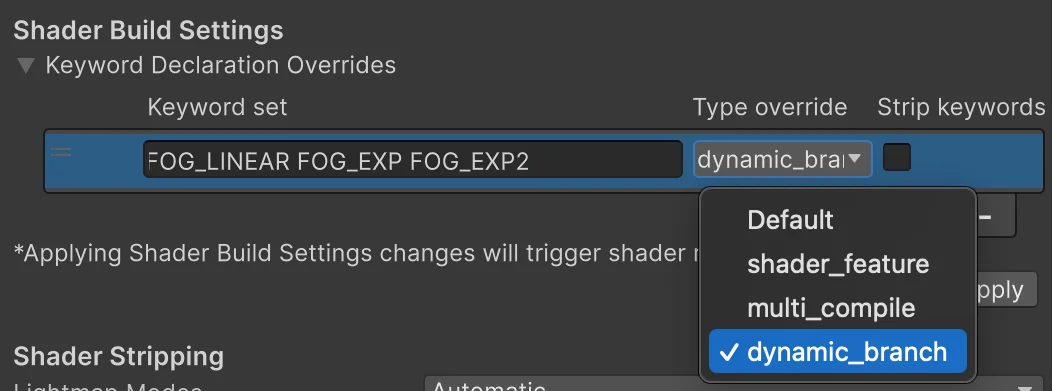
Shader Build Settings let a project change how keyword sets produce variants. Teams can strip unused combinations or use dynamic branching without rewriting every shader.
Use it
- Open Project Settings > Graphics > Shader Build Settings and add the complete keyword set to override.
- Choose the override type or disable unneeded keywords. Use strict shader variant matching to find variants removed by mistake.
Requirements and limits
- Removing a keyword can strip a variant needed at runtime. Dynamic branching reduces compiled variants but changes work performed by the GPU.