Interfaces in 3D scenes
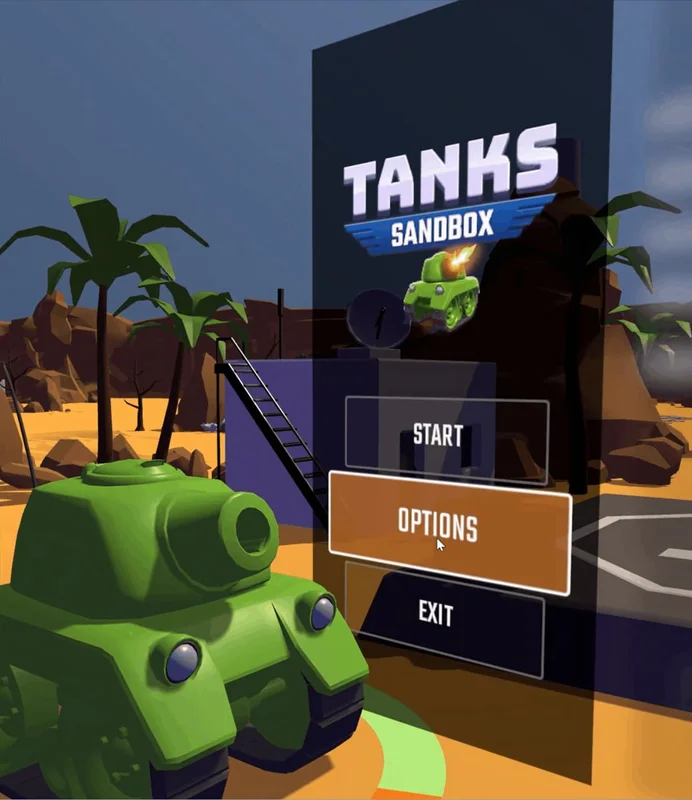
UI Toolkit can place interfaces directly inside 3D scenes.
Unity 6.2
Create world-space UI Update releaseSuperseded
What changed
Unity feature: UI Toolkit world-space UI
UI Toolkit panels can render as objects inside a 3D scene instead of being fixed to the screen. This supports in-world menus, displays, and XR interfaces.
Use it
- Set the Panel Settings asset’s Render Mode to World Space and choose its Pixels Per Unit.
- Set the UI Document’s size mode and pivot, position it in the scene, and configure panel input.
- Add GameObject > UI Toolkit > Panel Input Configuration to configure pointer interaction.
Requirements and limits
- World-space UI does not integrate with 2D sorting layers in this release. Root documents sort by distance from the camera.