Navigate large scenes
The new Hierarchy adds customizable columns and faster scene navigation.
Unity 6.6
Configure the Hierarchy window Update releaseSupported now
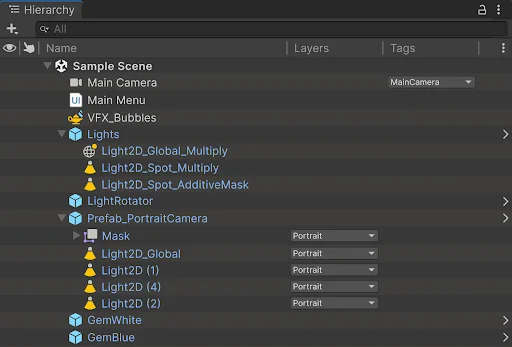
What changed
Unity feature: Hierarchy window
The new Hierarchy is enabled by default in 6.6. Columns expose object state, layers, and tags beside names, with settings saved per project.
Use it
- Right-click a column heading to choose the columns to display.
- Drag headers to reorder or resize columns. Use Reset Columns to restore the default arrangement.
Requirements and limits
- The legacy view remains available under Project Settings > Editor > Use Legacy Hierarchy.