Inspect rendering details
Frame Debugger exposes more shader data to help investigate visual problems.
Unity 6.6
Frame Debugger Event Information reference Update releaseSupported now
What changed
Unity feature: Frame Debugger constant buffers
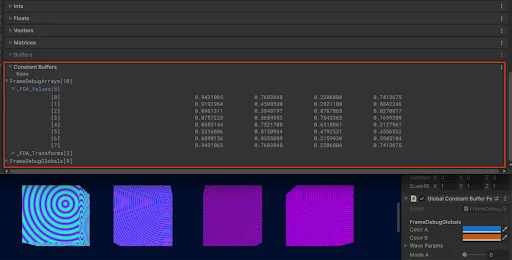
Frame Debugger now exposes names and values inside shader constant buffers. This helps trace an unexpected material result back to the data submitted for a particular draw.
Use it
- Capture a frame in Frame Debugger and select the draw event that produces the affected object.
- Open Constant Buffers in Event Information and compare the submitted values with the material or script values you intended.