Inspect build size and time
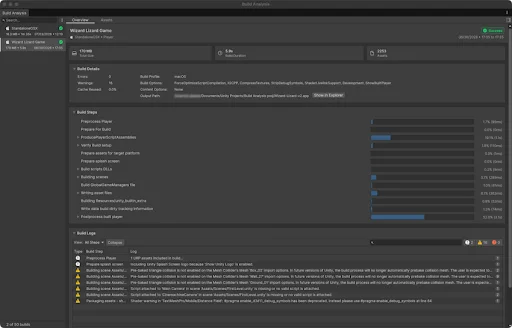
Build Analysis shows build times, large assets, and errors together.
Unity 6.6
Build Analysis window Update releaseSupported now
What changed
Unity feature: Build Analysis
Build Analysis brings saved build reports into one window. It shows build duration, output size, cache reuse, errors, and which assets contribute to the result.
Use it
- Build the Player, then open Window > Analysis > Build Analysis and select that build.
- Use Overview to inspect slow build steps or failures. Use Assets to find large assets and their references.
Requirements and limits
- Build history records Player and content-directory builds. BuildPipeline.BuildAssetBundles does not populate this history.