Optimize Android builds
New build optimizations can reduce startup time and processor work.
Unity 6.5
Android optimization setup and results Update releaseSuperseded
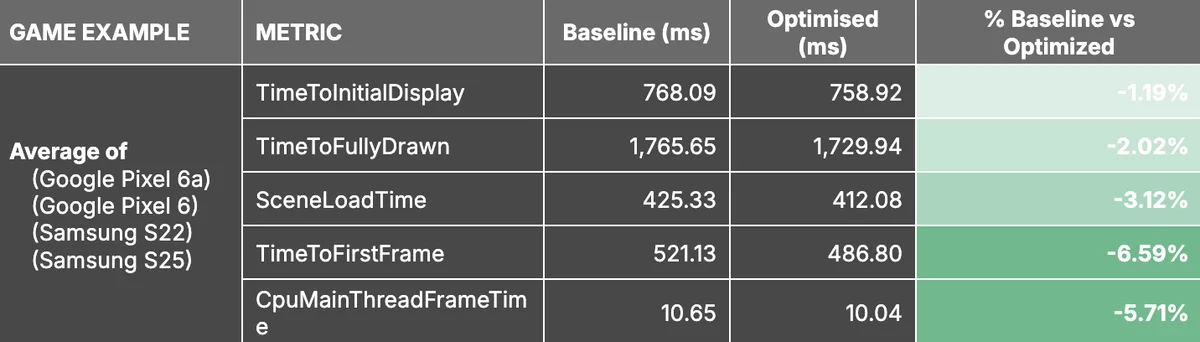
What changed
Unity feature: Android ThinLTO and IL2CPP Master
ThinLTO optimizes the Android engine library at link time. IL2CPP Master configuration adds a separate set of runtime optimizations for production builds.
Use it
- Disable Strip Engine Code, then set Link Time Optimization to Thin in the Android Build Profile.
- Choose IL2CPP Master configuration and compare startup, scene loading, and CPU frame times on the target device.
Requirements and limits
- ThinLTO requires Strip Engine Code to be disabled. IL2CPP Master increases build time; published performance gains are not a guarantee for every project.