Measure 2D performance
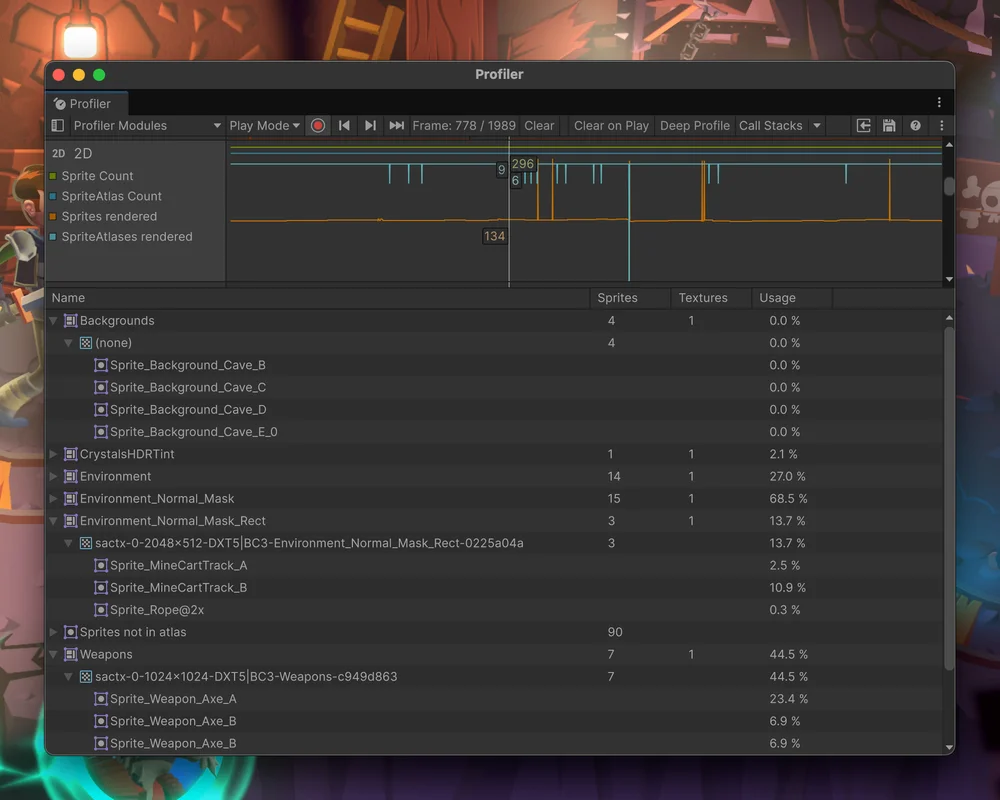
The updated Profiler shows sprite counts and the sprite atlases in use.
Unity 6.5
2D Profiler module reference Update releaseSuperseded
What changed
Unity feature: 2D Profiler
The 2D module separates loaded sprites and atlases from those actually rendered. Its detail table exposes atlas pages and texture usage to help find wasted texture space.
Use it
- Open Window > Analysis > Profiler, then enable 2D from Profiler Modules.
- Select a frame and inspect the sprite, atlas, page-count, and Usage columns in the details pane.
Requirements and limits
- Loaded counts include culled or unused content. Rendered counts describe what was drawn in that frame.