Console quality scaling
Adaptive Performance expands its basic provider to PlayStation and Xbox platforms.
Unity 6.4
Basic provider Update releaseSuperseded
What changed
Unity feature: Adaptive Performance basic provider
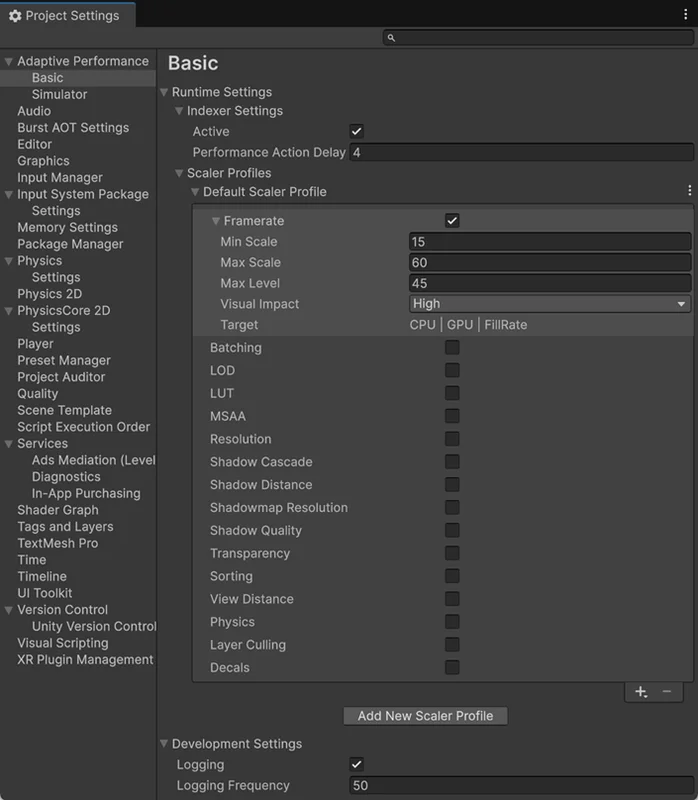
The built-in Basic provider now covers PlayStation and Xbox targets. It uses frame timing to inform Adaptive Performance quality adjustments.
Use it
- Enable the Basic provider in Adaptive Performance settings.
- Configure the Indexer and scaler profiles under Project Settings > Adaptive Performance to define which quality settings may change.
Requirements and limits
- The Basic provider does not expose thermal status. GPU timing support depends on the graphics API.